


Loopback by Rogue Amoeba - True Review After One Month – The Best Mac Audio Routing Software for Professional DJs, Music Producers & Online Streaming
Updated: Aug 2

When it comes to professional online DJ classes, live streaming, music production tutorials and content creation, audio quality is everything. A single audio drop, incorrect routing or noticeable delay can ruin an entire live session. At DJ Training Academy, we have always believed that students deserve the same audio quality online as they would receive while sitting inside our studio. After spending over three decades in the DJ industry, we know that teaching beatmatching, EQ mixing, scratching, harmonic mixing and live performance techniques demands crystal-clear sound with virtually no latency.
For years we experimented with different methods of routing audio on macOS. We tried using Apple's built-in Audio MIDI Setup, virtual drivers, aggregate devices and several free solutions available online. While they worked to an extent, they often required unnecessary setup, regular troubleshooting and lacked the flexibility needed for professional online teaching. Every software update or system restart seemed to introduce another variable that had to be checked before class.
One month ago, we decided to invest in Loopback by Rogue Amoeba, hoping it would simplify our workflow. After using it almost every single day to conduct professional online DJ classes for batches of 10–15 students from across India and overseas, we can confidently say that it has become one of the best software purchases we have made for our studio. More importantly, it has allowed us to focus on teaching rather than solving technical audio problems.
🎧 Now you can learn Djing from any part of the world, from your home at an affordable price. Checkout our Online. Advanced Dj Course →
"This review is not based on a few hours of testing. It reflects our real-world experience after conducting numerous live DJ classes, OBS streams, recording sessions and demonstrations using rekordbox, professional microphones, multiple cameras and external audio interfaces."
What is Loopback?

Loopback is a professional virtual audio routing software for macOS developed by Rogue Amoeba. In simple terms, it allows you to create custom virtual audio devices that can route sound between applications, microphones, DJ software, audio interfaces and streaming software exactly the way you want.
Imagine having a professional audio patch bay built directly into your Mac. Instead of physically connecting cables between different pieces of equipment, Loopback lets you create those connections digitally through an intuitive visual interface. Every application on your Mac becomes a possible audio source, and every destination can be customized to suit your workflow.
Whether you use rekordbox DJ, Serato DJ Pro, Traktor Pro, Ableton Live, Logic Pro, FL Studio, OBS Studio, Zoom, Google Meet, Microsoft Teams or QuickTime Player, Loopback allows these applications to communicate seamlessly without complicated workarounds.
The biggest advantage is that everything happens in real time. Once your routing is created, your Mac simply behaves as though the virtual device is a normal audio interface. Most applications instantly recognize it without additional configuration.
Why We Purchased Loopback
At DJ Training Academy, our online classes are much more than simply sharing a webcam and talking over a microphone. During every session we demonstrate live DJ mixing techniques using professional equipment while simultaneously explaining concepts to our students.
A typical class includes:
rekordbox DJ running with a professional DJ controller
OBS Studio for camera management
Multiple USB cameras showing different angles
Professional condenser microphone
External audio interface
Studio monitors
Headphones
Zoom/. Discord for online students
Screen sharing for software demonstrations
Every student must hear exactly what we hear inside the studio.
When we demonstrate beatmatching, students should hear both tracks perfectly.
When explaining EQ transitions, they should clearly hear every frequency adjustment.
When demonstrating effects such as Echo, Spiral, Reverb, Delay or Filter, there should be absolutely no distortion or clipping.
When switching between cameras, the audio should continue flawlessly.
This sounds straightforward, but without professional audio routing software it quickly becomes complicated.
Initially we attempted to achieve this using Apple's Audio MIDI Setup together with Aggregate Devices. While this helped combine multiple hardware devices, it still did not provide the application-level routing we required. Routing rekordbox DJ independently into Zoom while monitoring through our studio speakers and simultaneously recording in OBS became increasingly difficult.
That is when we started researching professional broadcasting setups used by educators, podcasters, streamers and musicians. One software name kept appearing repeatedly—Loopback by Rogue Amoeba
After reading about its capabilities, we decided to purchase it, and after using it for one month we genuinely understand why it is considered the industry standard for Mac audio routing.
Installation and First Impressions

One of the first things we noticed was how polished the entire experience felt. Professional audio software often sacrifices usability in favour of advanced functionality, resulting in interfaces that intimidate new users. Loopback is refreshingly different.
Installation took only a few minutes. The setup wizard guided us through every required permission, and after restarting the Mac, the software was immediately ready to use.
The interface is clean, modern and extremely visual. Instead of confusing menus or endless configuration windows, Loopback displays audio sources and destinations as blocks that can be connected intuitively. Even users with limited technical knowledge can understand how the signal is flowing simply by looking at the layout.
Creating our first virtual device took only a few minutes. We added rekordbox DJ as one source, our microphone as another, and created a single virtual device that Zoom immediately recognised as a microphone. From that moment onward, our students could hear both our voice and our DJ performance with exceptional clarity.
The process felt surprisingly natural. Within a short time, we had multiple virtual devices created for different teaching scenarios without needing to consult technical documentation.
Our Daily Workflow with Loopback
Today, Loopback has become a permanent part of our teaching setup. Before every online batch begins, we simply launch our saved Loopback configuration. Everything is already configured exactly as required.

rekordbox DJ sends pristine audio into Loopback.
Our studio microphone is routed into the same virtual device.
OBS Studio receives the combined signal for recording.
Zoom recognises the virtual microphone instantly.
Our studio monitors continue monitoring the audio normally.
Students receive crystal-clear music together with perfectly balanced voice instructions.
Nothing needs to be unplugged.
Nothing needs to be reconfigured.
Nothing needs to be restarted.
This consistency is probably Loopback's greatest strength. Every class begins with confidence because we already know the routing will work exactly as expected.
Streaming Professional Online DJ Classes
Teaching DJing online is completely different from hosting an ordinary video meeting.
Students need to hear music at professional quality while simultaneously understanding spoken explanations. Every cue point, transition, phrase change and EQ adjustment should remain perfectly audible.
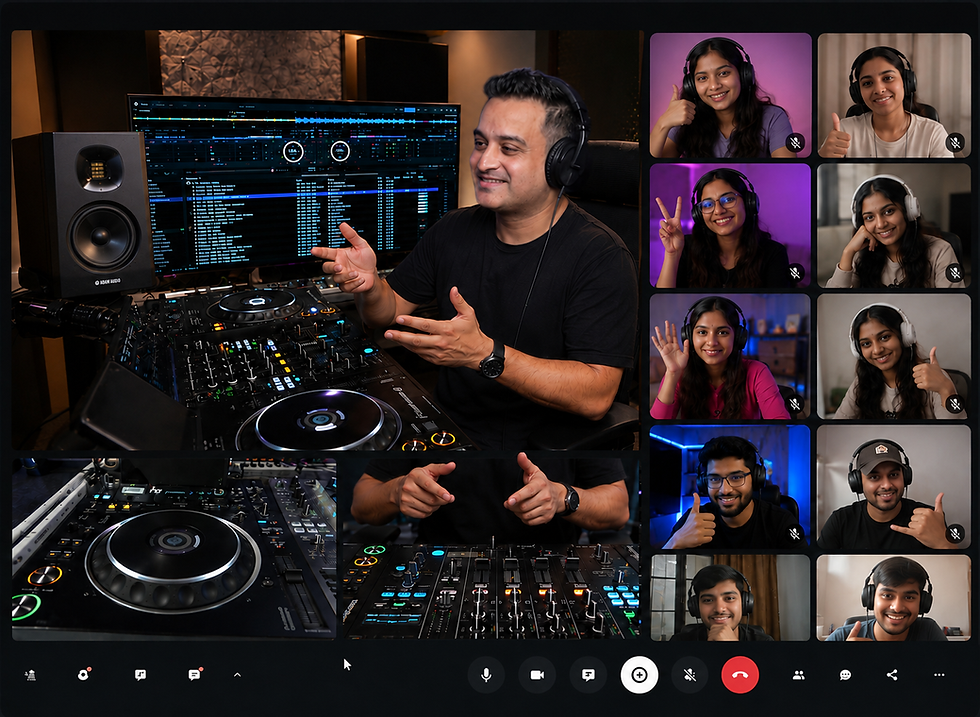
In our case, most online batches include students from different parts of India as well as international learners. Since everyone connects through different internet speeds and different audio devices, the signal leaving our studio must be as clean as possible.
Loopback has helped us achieve that consistency.
Throughout the last month, we have conducted multiple sessions where ten to fifteen students attended simultaneously. Audio remained stable throughout long teaching sessions, and we experienced no unexpected routing failures.
Another major benefit was the reduction in preparation time. Previously we spent valuable minutes checking audio devices before every class. With Loopback, we simply open our saved configuration and begin teaching almost immediately.
For educators who conduct online music lessons every day, those saved minutes quickly add up over the course of weeks and months.
OBS Studio Integration
One of the strongest reasons we recommend Loopback is its seamless integration with OBS Studio
OBS Studio is one of the most popular streaming and recording applications used by DJs, YouTubers, educators and live performers. However, routing professional audio into OBS on macOS has traditionally been one of the biggest challenges.
With Loopback, OBS simply recognises your custom virtual device as a normal audio input.
This allows us to capture high-quality Rekordbox audio together with our microphone without complicated plugins or workarounds. Even while switching between multiple camera angles, the audio remains perfectly synchronised.
Because our classes involve overhead camera views of the DJ controller, close-up shots of mixer controls and full studio camera angles, maintaining audio consistency is critical. Loopback handles this effortlessly, allowing us to concentrate on teaching rather than monitoring signal paths.
Perfect. Here's Part 2, which continues directly from Part 1. Together, both parts form one complete review blog.
Multi-Camera Streaming Made Simple
One feature of our online classes that students frequently appreciate is the use of multiple camera angles. During a lesson, we may switch between a front-facing camera, an overhead camera showing the DJ controller, a close-up of the mixer section and screen sharing from rekordbox DJ or Ableton Live.
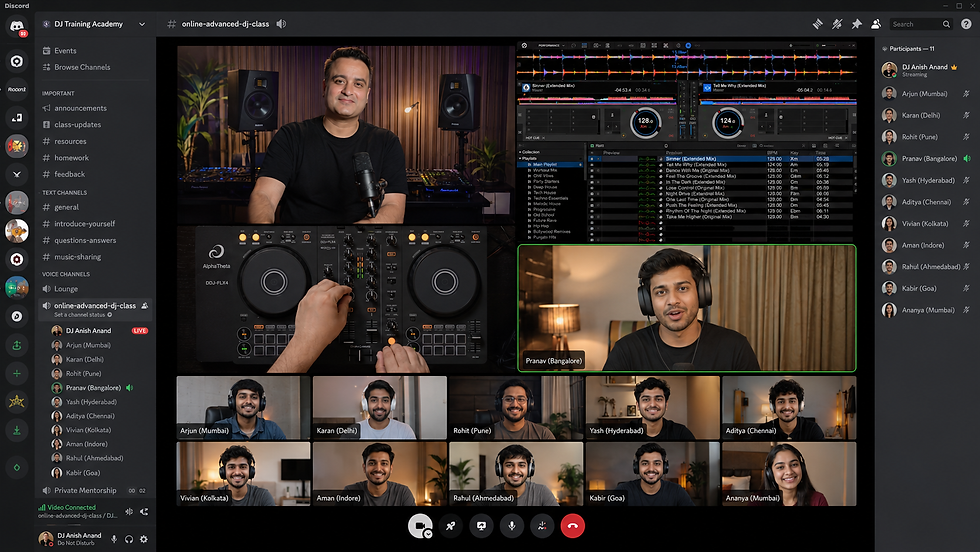
Managing multiple cameras is straightforward with OBS Studio but professional-quality audio must remain perfectly consistent regardless of which camera is currently live. Loopback plays a key role here because it creates one stable audio source for OBS.
Whether we change scenes, transition between cameras or share our screen, the audio continues uninterrupted. There is no need to rebuild routing every time we change layouts, and there is no risk of accidentally sending the wrong audio source to students.
For content creators, YouTubers, educators and DJs who produce regular video content, this consistency makes the production process much smoother.
Loopback vs Audio MIDI Setup on macOS
One of the most common questions we will receive after this blog release:
"Why should I buy Loopback when macOS already includes Audio MIDI Setup?"
It is a fair question because Audio MIDI Setup is a powerful utility that comes free with every Mac. It allows users to configure audio hardware, change sample rates, create Aggregate Devices and manage Multi-Output Devices. For many basic tasks, it works well.
However, Audio MIDI Setup was never designed to be a complete application-level audio routing solution.
Its primary purpose is managing hardware devices rather than controlling how individual software applications communicate with each other.
Loopback operates at a completely different level.
Instead of simply combining audio interfaces, Loopback lets you decide exactly which applications, microphones and hardware inputs become part of each virtual device. You can route rekordbox DJ into Zoom while sending Ableton Live into OBS Studio and monitoring everything through your studio monitors—all at the same time.
This kind of flexibility is simply outside the scope of Audio MIDI Setup.
Another major difference is usability. Audio MIDI Setup can appear technical, especially for beginners. Creating Aggregate Devices is relatively straightforward, but diagnosing clock-source issues, channel ordering or device mismatches often requires a deeper understanding of macOS audio configuration.
Loopback presents routing visually. You can literally see every source and every destination on screen. If you need to add another microphone, another application or another hardware input, you simply drag it into the virtual device.
This visual workflow dramatically reduces the learning curve.
After one month of daily use, we have found ourselves opening Audio MIDI Setup only when configuring new hardware. For almost everything else, Loopback has become our primary audio management tool.
Loopback vs BlackHole
BlackHole is one of the most popular free virtual audio drivers available for macOS, and it deserves credit for providing a capable solution at no cost. Many users begin their audio routing journey with BlackHole, particularly students and hobbyists.
However, after using Loopback professionally, the differences become clear.
BlackHole primarily creates virtual audio devices. The routing logic and configuration still need to be managed through macOS settings and individual applications. As projects become more complex, the workflow can become increasingly difficult to maintain.
Loopback brings everything together into one interface.
Instead of remembering which application is using which virtual device, all routing is visible in one place. Making changes takes seconds rather than several minutes.
For occasional streaming, BlackHole may be sufficient.
For professional online teaching, regular content creation and commercial workflows, we believe Loopback offers a much more polished experience.
Loopback vs Soundflower
For many years, Soundflower was the default recommendation for virtual audio routing on macOS. It served the community well, but it has largely been replaced by more modern solutions.
Compared with Loopback, Soundflower feels dated and considerably less user-friendly.
Loopback receives active development, integrates cleanly with modern versions of macOS and offers an interface that is far easier to understand. During our month of testing, stability was excellent, and updates have continued to support current Apple hardware and operating systems.
If someone is building a new professional streaming setup today, Loopback is unquestionably the more future-ready choice.
Audio Quality and Latency
Professional DJs and music producers are understandably concerned about latency. Even small delays can make beatmatching difficult, affect live performance and reduce the quality of online demonstrations.
This was one of our biggest concerns before purchasing Loopback.
Fortunately, after using it extensively, we have been extremely satisfied with its performance.
The software itself adds negligible overhead when configured correctly. Our overall latency continues to depend primarily on the audio interface buffer size and the applications being used rather than Loopback itself.
Throughout our classes, transitions remained tight, scratching demonstrations felt natural and students consistently reported clear, balanced audio.
Most importantly, we experienced no random clicks, pops or unexpected routing failures during normal operation.
Reliability After One Month
Perhaps the biggest compliment we can give Loopback is that we stopped thinking about it. That might sound unusual, but reliable professional software should disappear into the background. It should simply work.
Over the past month, Loopback has become one of those applications. Every class begins with the same saved configuration. Every stream uses the same routing. Every recording follows the same workflow.
Instead of checking dozens of audio settings before going live, we launch our saved profile and start teaching.
For busy educators and performers, that reliability is incredibly valuable.
Is Loopback Worth the Price?
At first glance, some users may feel that Loopback is expensive compared with free alternatives. We had the same initial thought.
However, after using it professionally, our perspective changed completely. The real value of Loopback is not just its routing capabilities. It is the amount of time it saves and the confidence it provides.
When your income depends on online teaching, streaming, recording or client work, avoiding technical interruptions is worth far more than the purchase price.
Instead of spending twenty or thirty minutes troubleshooting before every session, everything is already configured exactly as needed.
That consistency quickly pays for itself.
Who Should Buy Loopback?
If you are a professional DJ, online DJ instructor, music producer, podcaster, broadcaster, YouTuber, educator or live streamer using macOS, Loopback is one of the best investments you can make.
It is particularly valuable for users who regularly work with Rekordbox, Serato DJ Pro, Ableton Live, Logic Pro, OBS Studio, Zoom, Google Meet or Microsoft Teams.
For casual users who only need basic audio routing once in a while, free alternatives may be enough.
For anyone whose reputation depends on delivering professional-quality audio every day, Loopback offers a level of simplicity and reliability that is difficult to match.
Final Verdict
After one month of intensive daily use [as on 02nd Aug 2026] at DJ Training Academy, we can confidently recommend Loopback to anyone serious about professional audio routing on macOS.
It has streamlined our online DJ classes, simplified our streaming workflow, integrated seamlessly with Rekordbox, Ableton Live and OBS Studio, and allowed us to teach students across India and around the world with confidence.
More importantly, it has reduced technical distractions so that our focus remains where it should be—helping students become better DJs and music producers.
No software is perfect, and there is always a learning curve when building complex routing setups. However, once your workflow is created and saved, Loopback becomes one of those rare applications that simply works day after day.
If you regularly teach online, stream DJ sets, record tutorials or produce music on a Mac, we believe Loopback is well worth considering. For us, it has become an essential part of our studio, and after one month of flawless operation, we have no hesitation recommending it.
Frequently Asked Questions
Can Loopback route rekordbox audio into Zoom? Yes. One of its biggest strengths is combining rekordbox audio with a microphone into a single virtual device that Zoom recognises as one input.
Can I use Loopback with OBS Studio? Absolutely. It integrates extremely well with OBS Studio and is ideal for live streaming, screen recording and multi-camera productions.
Does Loopback work with Ableton Live? Yes. It works seamlessly with Ableton Live, making it easy to route DAW audio into streaming, recording and conferencing applications.
Is Loopback better than Audio MIDI Setup? They serve different purposes. Audio MIDI Setup is excellent for configuring hardware and Aggregate Devices, while Loopback excels at flexible, application-level audio routing with a much more intuitive interface.
Does Loopback introduce noticeable latency? In our experience, latency remained minimal and depended mainly on the audio interface buffer settings rather than Loopback itself.
Can beginners use Loopback? Yes. Although it offers professional functionality, the visual interface makes it much easier to learn than many traditional audio-routing solutions.
Ready to Master Pro-Level DJing? This Is Exactly What We Teach.
At DJ Training Academy, our Advanced DJ Course (available both online and in-person/offline) is built around real club-standard CDJ, XDJ, and DJM setups — not just controllers. You'll learn:
How to set up / troubleshoot / learn & work like professionals
Advanced beatmatching, harmonic mixing, and live sync techniques
Real club and festival booth workflows used by touring DJs
Hands-on practice on industry-standard Pioneer DJ gear
👉 Enroll in our Advanced DJ Course today — Online or Offline — and start training like a professional.
🔥 Your Next Move Starts Here
Thanks for reading
That’s all, folks! Thank you for reading, and remember, the key to becoming a great DJ or a music Producer, starts with the right foundation. Here at DJ Training Academy, we make sure to provide that right kick start to your DJ & Music Production journey.
If you found this review helpful, don't forget to like, share, and subscribe to our blog for more tips, tutorials, and reviews. We would love to hear from you. So do comment, and share your experience if you have used the product before.
Disclaimer:
The information shared in this blog has been carefully compiled from a range of credible and reputable online sources, along with insights from our experienced team of artist-bloggers who possess extensive hands-on knowledge in the fields of DJing and music production.
As a growing academy, we often face limitations in securing direct product endorsements, complimentary equipment, or licensed software for review and demonstration purposes. Due to the high costs associated with professional DJ and music production gear, we rely on such informational and reference-based content to ensure our students and readers stay informed about the latest tools, technologies, and advancements within the industry. We do not claim ownership of any videos or images sourced from third-party platforms or channels.
All information presented is used strictly for educational purposes only, with the aim of keeping our students and subscribers up to date on the newest DJ and music production equipment, software updates, features, and industry developments.
If any individual, company, or organization has concerns or objections regarding the use of any referenced material, we kindly request that you contact us at djta.delhi@gmail.com, and we will take immediate steps to address and resolve the matter.
Thank you for your understanding and continued support.
Why Choose DJ Training Academy New Delhi for DJ & Music Production Courses?
DJ Training Academy, New Delhi, is committed to helping DJs of all levels master industry-leading equipment. Our dedicated team offers a range of courses, including beginner & advanced course modules in Djing & Music Production specialized sessions focused on using cutting-edge industry standard education. Students gain access to hands-on training, real-time guidance, and tips to get the best out of the latest DJ controllers, mixers, and production tools.
Join Our Community
Looking for DJ Course?
or
Need Help for your first DJ Starter Kit?
If you need help setting up your first DJ Starter Kit or are looking to buy DJ equipment at the best possible price, look no further. We are here to help and provide you with the best prices and customize your DJ kit bundles according to your budget.


Comments